
There’s no greater happiness than transferring funds from your Cash App account to a linked debit card or bank, and the money reflects instantly.
This article will show you how to enable and use instant deposit on your Cash App account.
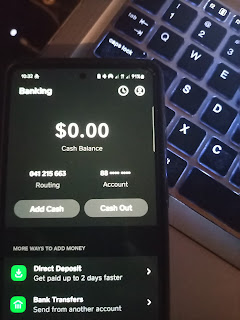
Usually, it takes between 24 and 72 hours for a standard transfer to reach your bank account, which can be inconvenient for some people and depends on the reason the withdrawal was initiated.
Also, bear in mind that the instant deposit feature can’t be enabled or set up; it’s a money transfer option provided by Cash App. Cash App offers standard and instant deposits.
You can also convert a standard deposit to an instant deposit if you feel it takes longer to reach your designated bank account or card.
However, Cash App will charge a 0.5%- 1.75% fee, plus a minimum fee of $0.25, for instant deposits.
If you’re comfortable with the attached fees and would still like to enable instant transfers on your Cash App, you can continue reading…
How to Enable Instant Deposit on Cash App
Using the instant Deposit is almost the same as using the standard transfer; it just depends on your selections.
Also, note that not all cards support instant deposits, so your instant deposit fees might be reversed. The payment will be processed within 1 – 3 working days for free (standard option).
You can enable standard deposit by navigating to the banking section in the Cash App > clicking Cash Out > entering the amount > selecting the instant deposit/transfer option > reviewing the transaction, and sending it out.
That’s just a breakdown of the whole instant deposit transfer option. Now, let’s see the step-by-step process.
- Log in to your Cash App account.
- Navigate to the banking section located at the bottom left corner of the screen.
- Click on the Cash Out button
- Input the amount to cash out
- Select Instant Deposit from the transfer option
- Review the transaction and SEND.
That’s it.
The fund should be available in your bank account almost immediately and ready for use.
Notwithstanding, remember I said some banks don’t support regular instant deposits?
Cash App might refund your instant deposit transfers in some cases, so you can process them using the standard Option.
How to Quicken a Standard Deposit toan Instant Deposit
You can increase your cash-out speed by switching a pending standard bank transfer to an instant deposit. Here’s how to do it.
- Open your Cash App
- Locate pending Transfers under the activity tab
- Click on a standard transfer you’d like to accelerate
- Click on Deposit Instantly
That’s it.
Your standard should be processed instantly after reviewing and approving the attached charges.
Why is Instant Deposit not showing up?
As discussed earlier, one reason Cash App may not display instant deposits is that some banks don’t support frequent Cash App instant deposits. As a result, Cash App will process some of your transfers using the standard option.
Also, the last time I checked, Cash App only made instant deposits available to you after processing two or more standard transfers to a particular bank or card.
So, try initiating more free standard deposits and see if the instant deposit will appear.
Why is my Bank Deposit pending on Cash App?
If your bank deposit is pending, you initiated the transfer using the standard transfer option, which is free and takes 24 – 72 hours to complete.
Try using the instant deposit option to get your money into your bank account faster.
Does Instant Deposit arrive instantly?
Instant deposits arrive almost immediately as they’re sent.
However, your bank’s network and compatibility with the Cash App instant transfer network significantly affect how quickly you’ll receive the deposit.
In most cases, it might be reversed if your bank doesn’t authorize the Cash App sending network.
That’s it.
Conclusion
Cash App instant deposit is a great way to get money into your bank account instantly, especially when you’re short of funds or your payment is pending, as long as you can pay the attached fee.
If your bank keeps rejecting your instant deposits, you can resort to the standard deposit, or better yet, you can switch to another bank card.
Nonetheless, here’s the best guide on enabling instant deposit on your Cash App account.
