
Unlike iPhone devices, Android devices don’t have an option to check the battery’s health, which can at times shorten or hinder the long-term usability of your phone’s battery.
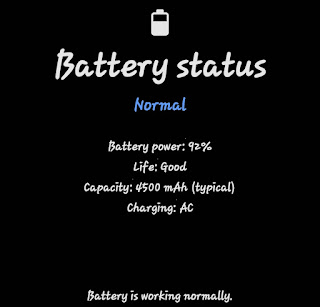
Most people confuse a device’s battery life with its battery health, which aren’t the same thing; let me break it down a bit so you know what we’re talking about in this article.
“A device battery life entails about the total time a device runs before it needs to be recharged, meanwhile, a device battery health talks about how long a battery should last on a full charge.
So, you get the difference now? Now, let’s proceed to how to check the battery health of your Android phone.
How to check on the battery health of your Android phone
Some Android manufacturers, such as Samsung, include system apps that let users check their device’s battery status without installing a third-party app.
If you’re a Samsung user then you should quickly navigate to the Play Store and download the Samsung Members before proceeding with the below steps.
Samsung Members – DOWNLOAD HERE
1. Launch the “Samsung Members” app on your Samsung device.
2. Click on “Diagnostics” on the home page to be redirected to a page where you can test and manage the functionality of all your hardware, such as
- Battery Status
- NFC
- Sim Card
- Senors
- Torch
- Touch Screen
- SD Card
- Speaker
- Mic
- Camera
- Cable Charging
- Bluetooth
- USB Connection, etc.
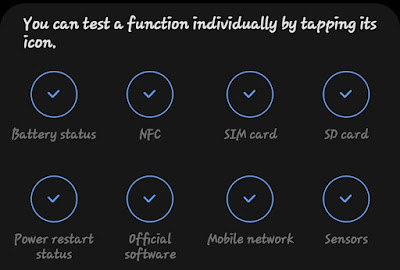
3. Click on the “Battery Status” option to proceed with the testing
4. Now, you’ll see the information about your battery health, which should either read as “Good, “Normal,” or “None.”
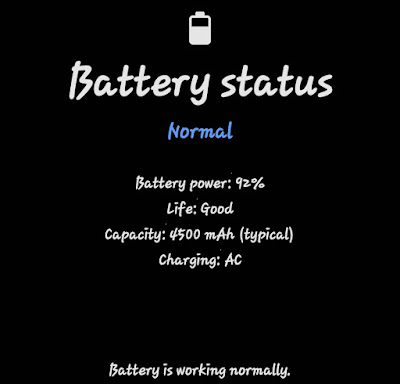
That’s it for Samsung users.
Meanwhile, if you don’t have a Samsung device, you can only check your battery health using third-party apps that offer this functionality.
AccuBattery has been proven to help calculate your Android battery health when there’s no built-in app, but it has some drawbacks.
Demerits such as: it will only start recording data after you install it. After a few charge/discharge cycles, you’ll be able to see battery health readings.
Although your device’s battery health is not something you need to worry much about, since you can easily replace it anytime.
It can also be nice knowing your battery is still working as it should.
That’s all about checking the battery health on your Android device.
